QR payments for Shopify under NBU standard — 0% acquiring fee
The only solution for a Shopify store where payment goes directly to the seller's IBAN without acquiring fees, payment aggregators, or PRRO. The buyer scans the QR code on the Thank You Page via mobile banking, and the order status changes to Paid automatically through the monobank and PrivatBank API.
- 0% acquiring fee — the transfer goes straight to the merchant’s IBAN
- No PRRO: a bank transfer to an account is not subject to fiscalisation
- 30+ banks: monobank, Privat24, Sense, PUMB · NBU standard No. 97
Included: installation + configuration + integration of monobank and PrivatBank APIs + testing + 30 days of support + 12 months of technical support
NBU Standard No. 97 (19.08.2025) · QR 1.0/2.0/3.0 · UCT/ICT transfers · support for 30+ Ukrainian banks
Questions — +380 97 716 76 35 · Telegram @trademinister · partner@trademinister.net
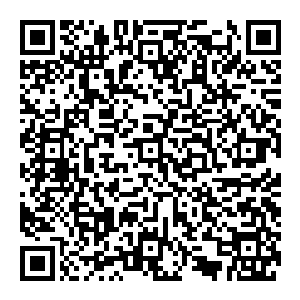
QR payment for Shopify is an integration for accepting payments via QR code according to the NBU standard No. 97. The buyer scans the QR code on the Thank You Page using mobile banking (monobank, Privat24, Sense Bank, PUMB, and 25+ other banks) and transfers the payment directly to the seller's IBAN. This is not acquiring or a payment gateway — it is a regular bank transfer via IBAN initiated through a QR code.
- Acquiring fee: 0% — funds go directly to the current account of the individual entrepreneur or LLC
- PRRO: not required — cashless transfer to the account is not registered
- Payment confirmation: automatic via monobank and PrivatBank API every 10 minutes
- Standard: NBU resolution No. 97 dated 19.08.2025, QR 1.0/2.0/3.0, UCT/ICT transfers
- Installation: 8,800 ₴ one-time, deployment 1–3 business days
- Account: individual entrepreneur or LLC in any Ukrainian bank
three reasons to enable QR payment
how payment works — 3 steps
the customer places an order
The customer selects products, places an order through the standard Shopify Checkout, and chooses the payment method "QR code (transfer to IBAN)." Upon confirmation, the order is created with the status Pending, and the buyer is directed to the Thank You Page.
the system generates a QR code and the buyer pays
The Thank You Page displays a unique QR code with pre-filled details: the seller's IBAN, the amount, and the payment purpose according to NBU standard No. 97. On mobile, the buyer taps the QR code (it is clickable, linking to qr.bank.gov.ua); on desktop, they scan it with their smartphone camera. The banking app opens with the filled-in details, and the buyer confirms the transfer.
status Paid in Shopify Admin — automatic
Every 10 minutes, our server checks monobank and PrivatBank statements via API. When a matching payment is found (amount + purpose + IBAN), the order status in Shopify Admin automatically changes to Paid, the buyer receives a payment confirmation, and the store sees the paid order and can ship the product.
works on any customer device
on the phone screen — tap the QR code
The QR code is displayed on the Thank You Page in the mobile browser and is a clickable link. The buyer clicks on it — the banking app opens automatically with pre-filled details. If multiple banking apps are installed, a bank selection screen appears in QR 2.0. There is no need to scan with a second phone: the link qr.bank.gov.ua is recognized directly by all Ukrainian banks.
on desktop — scanning with a smartphone camera
The QR code is displayed on the Thank You Page in the computer browser. The buyer opens the smartphone camera and points it at the QR code on the monitor. The phone recognizes the link qr.bank.gov.ua and automatically opens the banking app. If only one bank app is installed, it opens immediately; if there are several, a selection screen appears.


QR payment and classic acquiring — when to choose which
QR payment and acquiring (plata by mono, LiqPay, WayForPay) solve the same task — accepting online payments on Shopify — but work fundamentally differently. QR is a bank transfer to an IBAN, acquiring is a card transaction through a payment gateway. Each approach has its strengths. In practice, most stores benefit from a combination of both.
| parameter | QR payment (TradeMinister) | acquiring (plata / liqpay / wayforpay) |
|---|---|---|
Fee for Ukrainian cards |
0% — bank transfer via IBAN | 1.3–2.75% from each payment |
Fee for foreign cards |
0% — but QR works only with Ukrainian banks | 2–2.75% (Visa, Mastercard of any bank worldwide) |
Apple Pay / Google Pay |
❌ not supported | ✅ supported |
Is a PRRO required? |
❌ not required (transfer to IBAN) | ✅ required (or built-in, as in Hutko) |
Speed of account crediting |
seconds (ICT) — 30 minutes (UCT) | next banking day |
Where payment data is processed |
in the buyer's banking app | via payment gateway (PCI DSS) |
Refund |
reverse transfer via the seller's online bank | with one button in the gateway dashboard |
Bank requirements for individual entrepreneurs/LLCs |
any Ukrainian bank | depends on the gateway (PUMB for Hutko, monobank for plata, etc.) |
Store operation without gateway moderation |
✅ works immediately after installation | ⌛ 1–5 days of provider moderation |
The perfect role in the store |
an additional payment method alongside acquiring | primary online gateway for card payments |
Recommendation: QR payment is the perfect additional payment method alongside acquiring. Some customers do not want to enter their card details on a little-known website—they find it easier to pay through their banking app. For a full-featured Shopify store, the optimal combination is QR + one of the acquiring services: for example, plata by mono (1.3% on UA cards) + QR (0% on transfers). The customer chooses—fast card payment (Apple Pay) or savings through a transfer for the store.
automatic payment verification — how an invoice becomes Paid status
the bank generates a statement
monobank and PrivatBank provide statements through a secure API (monobank Statement API and PrivatBank P24 API). Each transaction includes the amount, sender's IBAN, and payment purpose.
the server loads data every 10 minutes
Our server accesses the bank's API 24/7 and receives new account deposits. The data is saved, cleaned, and analyzed. The polling frequency is every 10 minutes, providing a comfortable payment recognition time without overloading the bank APIs.
payment matching with order
The system compares the amount, payment purpose, and IBAN with pending orders in Shopify. The primary binding key is the order number in the payment purpose, with an exact match of the amount also taken into account. When a match is found, the order is marked as paid.
order status → Paid in Shopify Admin
Through the Shopify Admin API (orders update, financial_status = paid), the order status is automatically changed to Paid. The customer receives a standard email confirmation from Shopify, and the store sees the paid order in the list — shipping can proceed immediately, without manual verification.
works with 30+ Ukrainian banks
The NBU standard QR code is supported by all modern banking applications in Ukraine. The buyer can pay from any Ukrainian bank — the link qr.bank.gov.ua is recognized directly by banking apps and opens the required transfer window.
Full support (QR opens the app directly)
monobank · PrivatBank · Sense Bank · PUMB · Ukrgasbank · A-Bank · izibank · Credit Dnipro Bank · Globus Bank · Credit Agricole · Raiffeisen Bank · UKRSIBBANK · OTP Bank · Grant · RADABANK · KredoBank · PRAVEX BANK · MTB Bank · Piraeus Bank · Altbank · VST bank · Idea Bank · Unex Bank · Acordbank · Bank 3/4 · Pivdennyi Bank
Automatic payment reconciliation
monobank (for sole proprietors, via Statement API) and PrivatBank (P24 API). If the sole proprietor/LLC account is in another bank — we discuss connecting the Statement API individually or set up semi-automatic reconciliation through importing statements in XML/CSV.
Limited support
Oschadbank as of April 2026 does not support scanning QR payments in its mobile app. Oschadbank clients can pay using the QR code from other banking apps or choose an alternative payment method on the website.
The full up-to-date list of banks and their level of QR standard support is available on the official NBU website.
technical details
NBU Resolution No. 97 dated 19.08.2025 — zakon.rada.gov.ua
0% — transfer via IBAN, not acquiring
incoming — according to the RKO tariff (usually 0% with monobank Business and Privat24 for business); outgoing for the buyer — usually 0% in monobank/Privat24 or a fixed 1–5 ₴ in other banks
Manual Payment Method + Thank You Page script + Shopify Admin API for updating statuses
30+ Ukrainian banks (monobank, Privat, Sense, PUMB, Ukrgasbank, Raiffeisen, UKRSIB, and others)
Individual entrepreneur of group 3 or LLC with a settlement account in a Ukrainian bank
1–3 business days after confirming the details
30 days of onboarding + 12 months of technical support included; ₴3,600/year from year two for infrastructure and API updates
what is included in the price
- full integration setup in your Shopify store
- configuration of parameters: IBAN, details, payment purpose template
- integration of monobank Statement API for automatic reconciliation (for sole proprietors)
- integration of PrivatBank P24 API for automatic reconciliation
- Shopify Webhook setup for order status updates
- testing with a real order including refund
- instructions for store managers on working with QR payments
- 30 days of support — free troubleshooting of any issues
- 12 months of technical support — first year included
- not included: opening a sole proprietor/company account, connecting bank API tokens (instructions provided), PRRO (Vchasno.Kasa or Checkbox from the App Store separately)
frequently asked questions
QR payments let a Shopify store accept money through a QR code under the NBU standard: the customer transfers funds straight to the merchant’s IBAN from their own banking app. Unlike acquiring (plata by mono, LiqPay, WayForPay), there is no payment gateway in between — the money moves directly between bank accounts. The key differences: 0% acquiring fee and no fiscalisation (PRRO) requirement, but Apple Pay and Google Pay are not supported and settlement can take up to 30 minutes instead of seconds.
No, a second phone is not needed. When the QR code is displayed on the buyer's smartphone screen, it is a clickable link. The buyer simply taps on it — the banking app automatically opens with the payment details filled in: IBAN, amount, payment purpose. This works thanks to the NBU standard — links in the format qr.bank.gov.ua are recognized by all banking apps in Ukraine.
It depends on the type of transfer specified in the QR code. For QR 3.0 with ICT type (Instant Credit Transfer) — instant transfer — funds arrive within seconds, 24/7, including weekends and holidays. For a standard transfer (UCT — Urgent Credit Transfer) — usually up to 30 minutes during business hours. The order status in Shopify changes automatically within 10–20 minutes after payment, when our server detects the payment in the bank statement.
When a customer clicks on the QR code on their mobile device and has multiple banking apps installed, the system (starting from QR 2.0) displays a bank selection screen — the customer chooses the desired app from the list. If only one app is installed, it opens automatically. On a computer, you can open the desired banking app separately and scan the QR code with the camera.
PRRO is not required. Payment via QR is a transfer of funds from account to account via IBAN, that is, a cashless payment by transfer. For such operations, a settlement operations registrar (RRO/PRRO) is not used according to the clarification from the State Tax Service of Ukraine. However, if you want to additionally issue fiscal receipts for all payments, this is possible — you can connect Vchasno.Kasa or Checkbox PRRO from the Shopify App Store alongside QR payment.
Acquiring commission — 0%. This is a regular bank transfer between accounts, not an acquiring transaction. The buyer's bank may charge a standard fee for outgoing transfers (usually 0% at monobank, PrivatBank for clients, small fixed fees at other banks — from 1 to 5 ₴). The seller's bank usually charges a fee for incoming transfers according to the settlement and cash services tariff (usually 0% or a minimal subscription fee). For comparison: acquiring plata by mono — 1.3% on Ukrainian cards, LiqPay — 2.75%.
Automatic statement reconciliation works with monobank (for sole proprietors) and PrivatBank (P24 API). If your sole proprietorship or LLC has an account in another bank, there are options: (1) we can connect your bank’s API if it provides a Statement API — contact us to clarify; (2) we can set up semi-automatic reconciliation by importing statements in XML/CSV format; (3) we can offer manual payment confirmation through the Shopify admin panel. The QR code for payment works with all banks in Ukraine — the limitation applies only to automatic receipt verification.
customer reviews
why QR payment is ordered from TradeMinister
Shopify Expert since 2014
12+ years of experience with Shopify. We know the platform inside out — pricing plans, Checkout limitations, nuances of the Admin API, and webhook integrations.
payment integrations since 2016
Connected QR payment, plata by mono, LiqPay, WayForPay, NovaPay, and Portmone to hundreds of Ukrainian Shopify stores.
apps in the App Store
Nova Poshta Shipping, Vchasno.Kasa, Rozetka Marketplace, UkrPoshta Shipping. QR integrations for OpenCart and WooCommerce — on the QR::UA brand (oplata.com.ua).
one contractor for the entire stack
Payments, delivery, fiscalization, marketplaces — all from one team. No need to coordinate 5 contractors.
ready to accept payments without fees?
One-time setup 8,800 ₴. First year of support included. Connection within 1–3 business days. Shopify Expert Partner since 2014, 500+ completed projects.